


OBJECTIVE
1) Hyperion Interactive Reports and exploring its features
2) Oracle Business Intelligence (OBIEE) and exploring its features.
3) Creating Essbase Cube using Essbase Studio and reports in Web Analysis.
4) Creating Essbase Cube using Essbase Studio and reports in OBIEE Answer
Step#1 Open IR Studio

Step#2 Creating a new Database connection is always the first step to retrive data from any database.The below screen shows how to connect to database I'm using MS Access to Create Sales Analysis Report

Step#3 IR has no propertory driver for MS-Access so you need to select ODBC-ODBC Connectivity type.(In another example will show you connecting with Oracle Database)

Step#4 Select the DSN the once you created to connect to your database. Slaes_Analysis_DSN in this example


 Note : Download the Database from http://www.box.net/shared/fl0liqn69v
2) Data Model [Dimensions/Member/Fact required to build report, Joining information
3) Data Mapping Document.[Which element maps to which table.column]

 Step#8 Now drag the column you want into the request area. In our requirement we need to Quarter and Amount Sales. The Amount Sales should be sum because we want cumulative sales for entire Q1,Q2,Q3,Q4

 Step#11 In order to design Pivot we need to specify its Column, Row and fact. Per business requirement we need to display the Quarter in Col and Fact in row. So whlie desiging Pivot we need to select Dimension and Fact appropriately.
 Step#12 Now lets draw the chart and place all the Object togather.

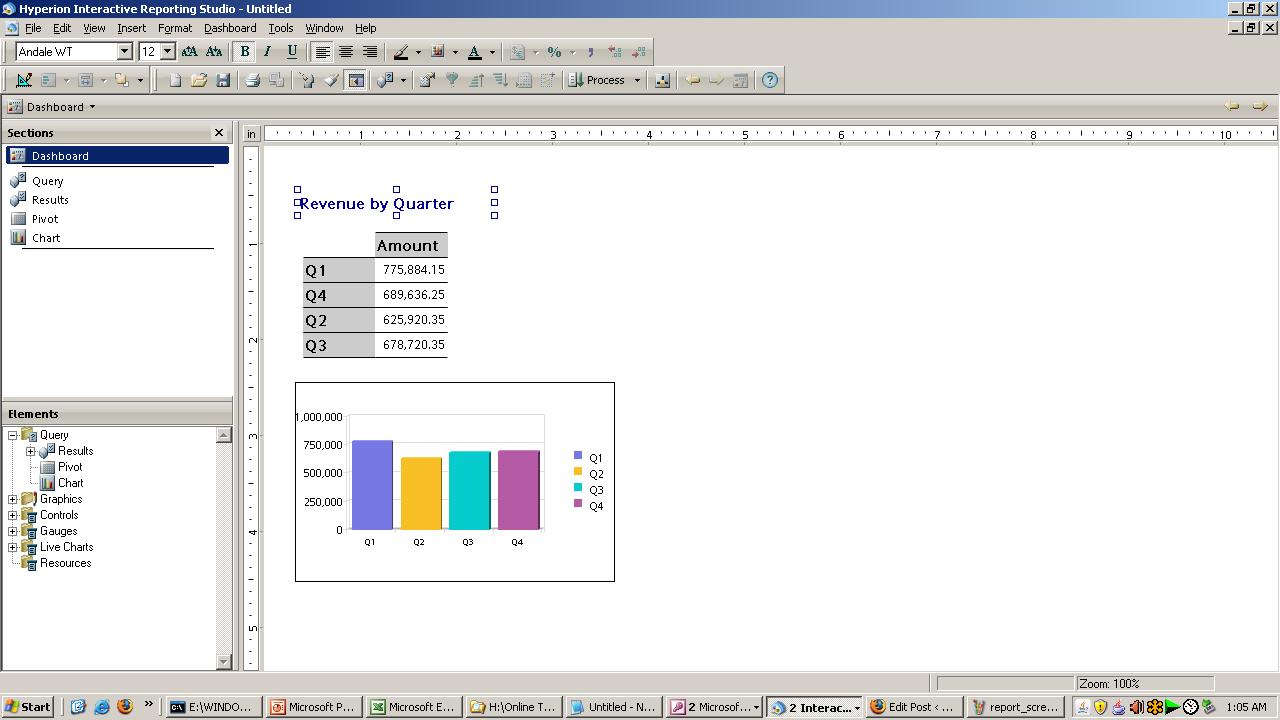 Step#14 The other peice of report is

Step#16 Download the complete tutorial from
Download the video tutorial from
CLass#1 http://www.box.net/shared/gk9hb9ehf6
Class#2 http://www.box.net/shared/nfqqipo9cs
[use codec www.gotomeeting.com/codec to view the videos]


